Plan an Active Directory schema extension before creating attributes
A schema extension is a high-impact, forest-wide administrative change, not a routine user-profile edit. New schema objects cannot simply be deleted afterward. Disablement has limits and is not an undo button. Do not use these notes as approval to change a production forest. An authorized directory team should own the design, lab validation, change approval, recovery planning and deployment. No directory change was made or tested for this article. See Microsoft’s impact summary.
Prepare and identify the correct role
First decide whether an existing attribute meets the requirement without changing its meaning. If a new attribute is justified, document its owner, intended classes, data sensitivity, read/write permissions, syntax, single- or multi-value behavior, size bounds and indexing requirements. Verify directory health and replication before an approved change.
The source uses schmmgmt.dll registration and the Active Directory Schema MMC snap-in. Administrative-tool setup depends on the supported Windows/RSAT environment; it does not itself authorize a schema extension. The role needed for schema writes is the schema master, one particular forest-wide FSMO role, not any domain controller that holds any FSMO role. Verify the target and appropriately approved schema-administration privileges instead of casually adding a user to a powerful group. Follow Microsoft’s schema-extension procedure.

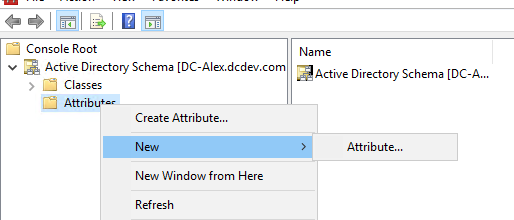
Review the attribute definition
In an approved test environment, the source’s “Attributes → Create Attribute” dialog describes a schema attribute, not a regular user object. Its common name identifies the schema entry, the LDAP display name is the programmatic attribute name, and the OID must be unique among schema attributes and classes. Choose an OID allocation strategy before creating objects; do not reuse somebody else’s example identifier.

The following original PowerShell calculation generates a GUID-derived OID candidate locally. It does not connect to a directory, register an OID, reserve it in a forest, or apply a schema change. Record the chosen base and allocate descendants consistently rather than generating a different identifier every time the same definition is deployed. Review Microsoft’s OID-generation and allocation guidance before adopting this method.
$Prefix="1.2.840.113556.1.8000.2554"
$GUID=[System.Guid]::NewGuid().ToString()
$Parts=@()
$Parts+=[UInt64]::Parse($guid.SubString(0,4),"AllowHexSpecifier")
$Parts+=[UInt64]::Parse($guid.SubString(4,4),"AllowHexSpecifier")
$Parts+=[UInt64]::Parse($guid.SubString(9,4),"AllowHexSpecifier")
$Parts+=[UInt64]::Parse($guid.SubString(14,4),"AllowHexSpecifier")
$Parts+=[UInt64]::Parse($guid.SubString(19,4),"AllowHexSpecifier")
$Parts+=[UInt64]::Parse($guid.SubString(24,6),"AllowHexSpecifier")
$Parts+=[UInt64]::Parse($guid.SubString(30,6),"AllowHexSpecifier")
$OID=[String]::Format("{0}.{1}.{2}.{3}.{4}.{5}.{6}.{7}",$prefix,$Parts[0],$Parts[1],$Parts[2],$Parts[3],$Parts[4],$Parts[5],$Parts[6])
$oid
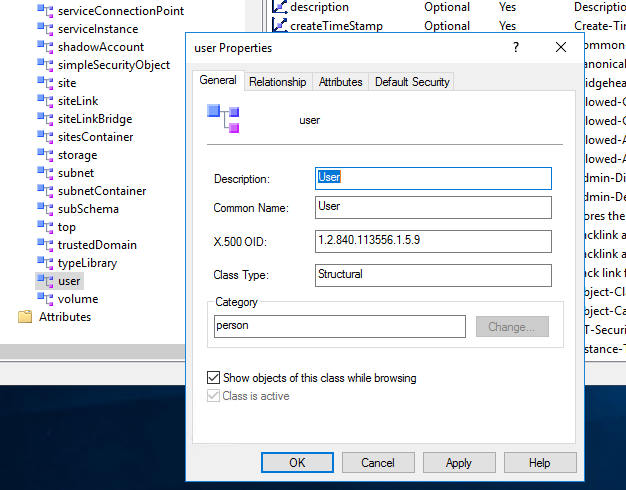
Choose the actual attribute syntax and applicable limits deliberately. A Unicode string is an example, not a universal default. Decide which schema class may contain the new attribute; adding it to a class is distinct from populating a value on one directory object. Review whether it is optional or mandatory and the effect on existing applications.
Verify replication and the schema cache
After a separately approved deployment, verify the schema definition and intended application behavior, allow replication to complete, and check the relevant domain controllers. Logging out and back in is not a general solution for schema propagation: servers maintain a schema cache with its own update behavior. Microsoft documents schema-cache refresh; any explicit refresh is itself an administrative operation, not an instruction executed here.
Keep the reviewed definition, allocated identifiers and deployment evidence. A disabled or unsuccessful attribute is still a schema-management obligation; do not promise that a production extension can be rolled back like a local preference.